Empowering first-time homeowners with a personalized home improvement platform to promote proactive home ownership and maintenance.
MY ROLE
User Experience Design, Visual Design, User Research, Usability Testing
TEAM
2 UX Researchers
1 Front-end Engineer
1 Back-end Engineer
1 Product Manager
TIMELINE
8 weeks in Q2 2022
PROBLEM SCOPE
What design considerations can provide sufficient value to help home owners confidently navigate home improvement tasks, alleviate overwhelm, minimize property risks, and build trust and engagement?
THE SOLUTION
A personalized platform to provide support to homeowners while organizing and completing tasks within their home.
INTRODUCTION
One of the largest insurance and financial services companies in the world was creating a platform to support homeowners in confidently tackling home improvement projects.
HIGH-LEVEL PLATFORM GOALS
Reduce frequency and cost of claims
by promoting proactive home maintenance
by empowering first-time homeowners with personalized guidance and tools to address home improvement tasks
PROCESS
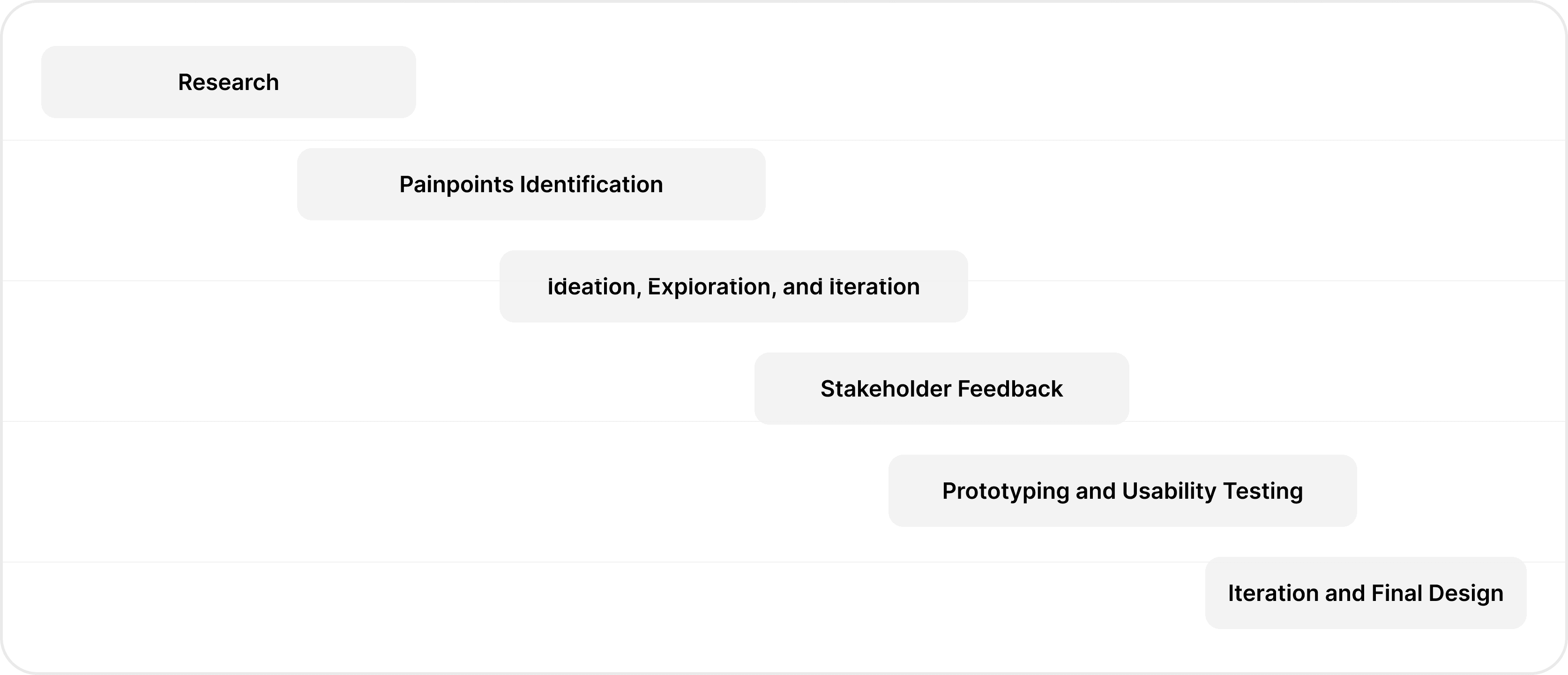
PRIMARY RESEARCH
Reddit to the rescue!
We went to Reddit to get an initial idea and sentiments of homeowners and buyers while doing home improvement tasks. This exercise served as an initial guiding point to defining the platform. We identified how users currently manage and keep track of home improvement tasks and the major hurdles they face when completing their home improvement projects.
Data collection from r/homeimprovements and r/homeowners
Key words used: First time homeowner, insurance, inspection report
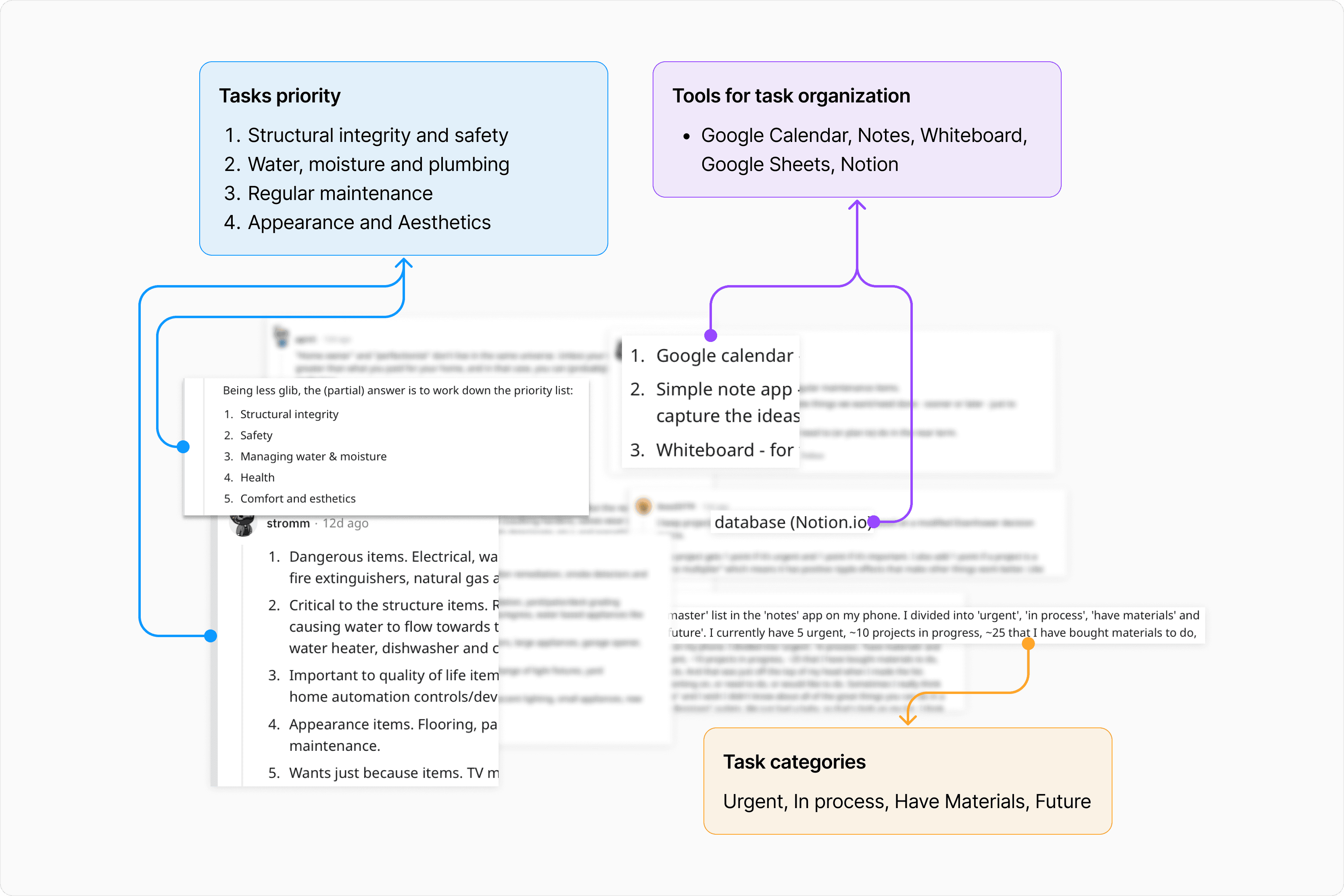
Results and insights from Reddit research
SECONDARY RESEARCH
Card Sorting
Aim: To further drill down into what parameters users need to know and consider important before making a decision on which home improvement project to take on next.
UserInterviews platform to recruit people to perform card sorting.
Parameters (Cost, Budget, Tools needed, Expert needed, Difficulty, Time to complete a project, Due date, Risk, Project progress, Interference) identified in the Primary Research stage into Must Have, Nice to Have, Don't Need categories
95%
Participants considered budget, safety & cost to be in Must Have category
75%
Participants wanted to know whether projects can be DIY or need experts and categorized into Must Have
90%
Participants put Tools needed to complete the project in Must Have and Nice to have category
PROBLEM REDEFINING
How might we build a personalized platform that promotes confidence, provides support, builds trust, and aligns with user’s mental models of organizing and completing tasks within their home.
RESEARCH INSIGHTS
Personalization, Guidance and Safety are the three major themes that emerged
Personalized home improvement plan
based on their budget, time, and priority while undertaking home improvement tasks using inspection reports.
Guidance on completing tasks
while providing actionable insights on which tasks to complete
Prioritize safety of home
by engaging home owners in completing projects that affect their home safety thus decreasing cost to business
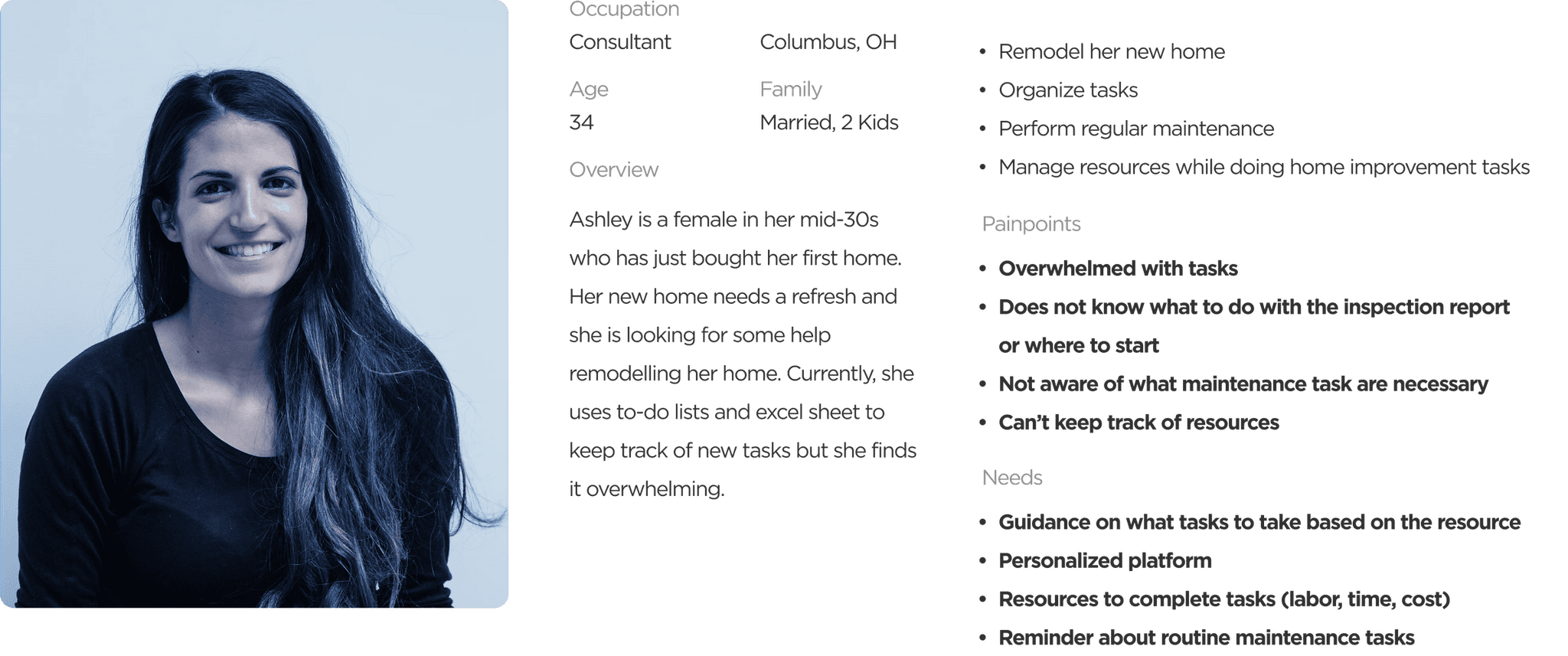
Based on research, Ashley, the user persona - a first time homeowner was identified
ITERATIVE LOW-FILDELITY WIREFRAMING AND USABILITY TESTING
The purpose of these wireframes was to create initial ideas, rapid iterations, get stakeholder feedback, and usability testing
These wireframes were used to conduct usability testing because I saw this opportunity to test the functionality by removing any potential Attractiveness Bias that occur due to visual design.
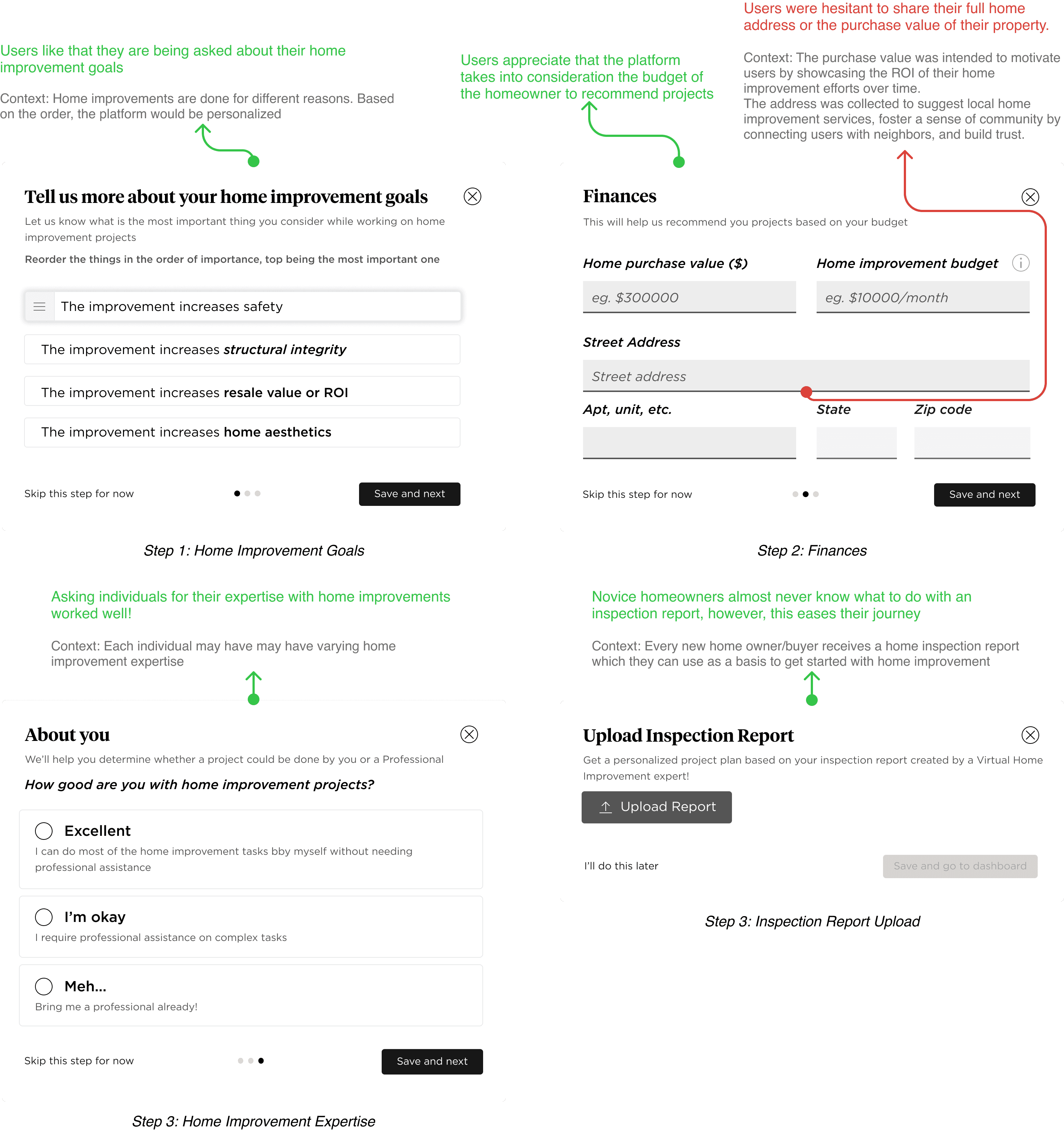
Onboarding wireframes and usability testing feedback
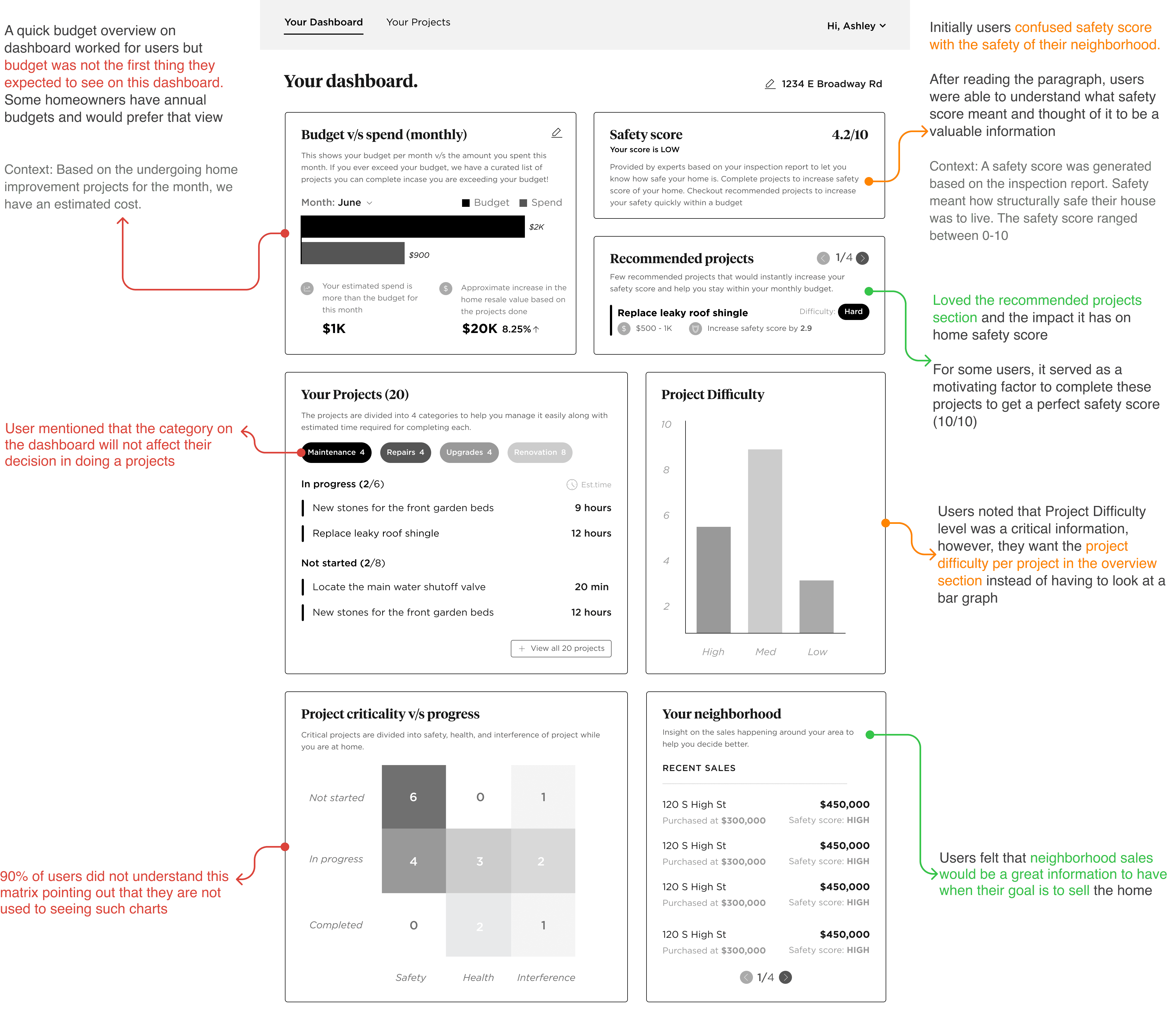
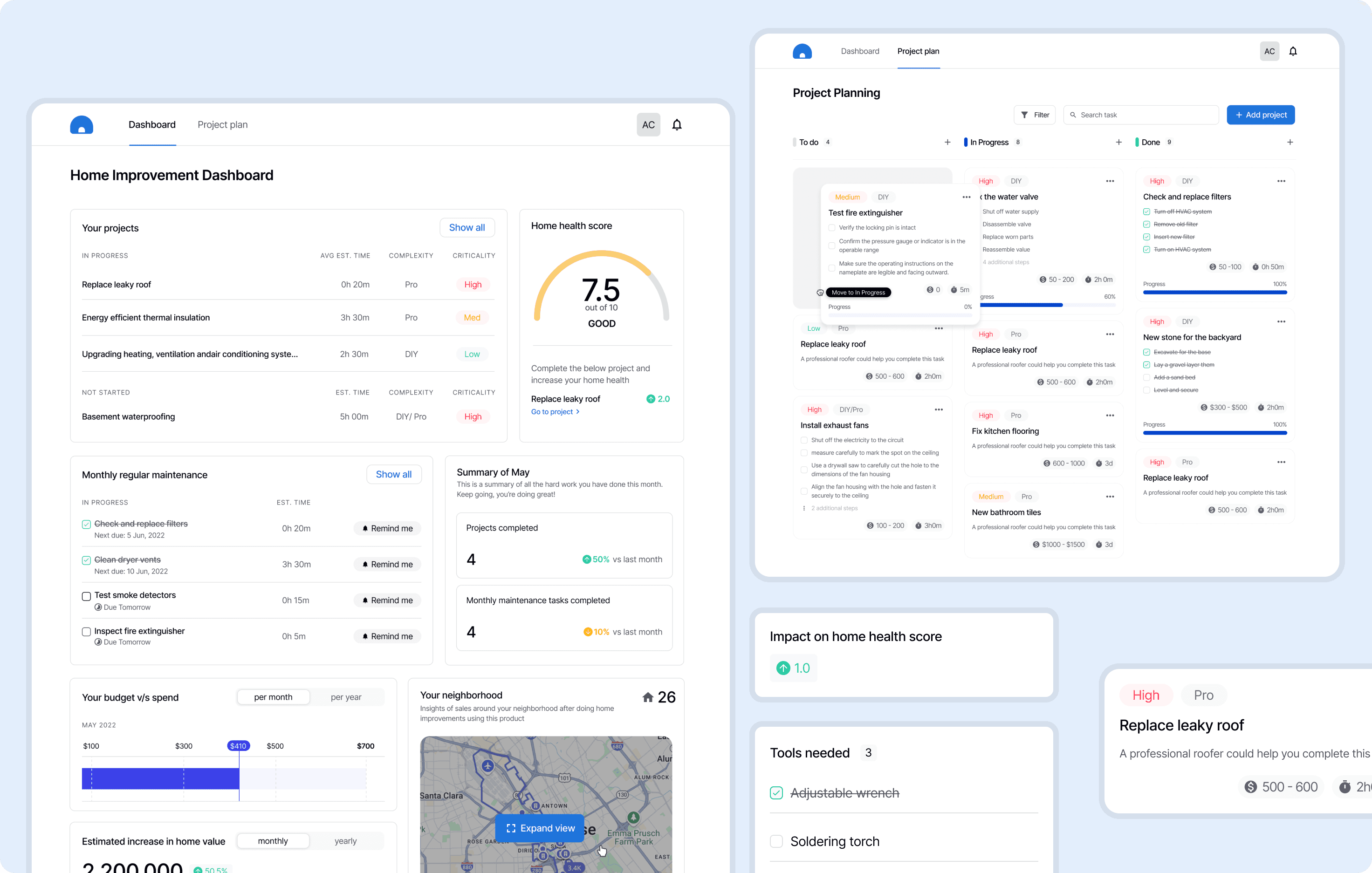
Personalized dashboard for users to manage and keep track of projects - It was clear that we had to simplify the dashboard, improve UX writing and prioritize items based on user's mental models and needs
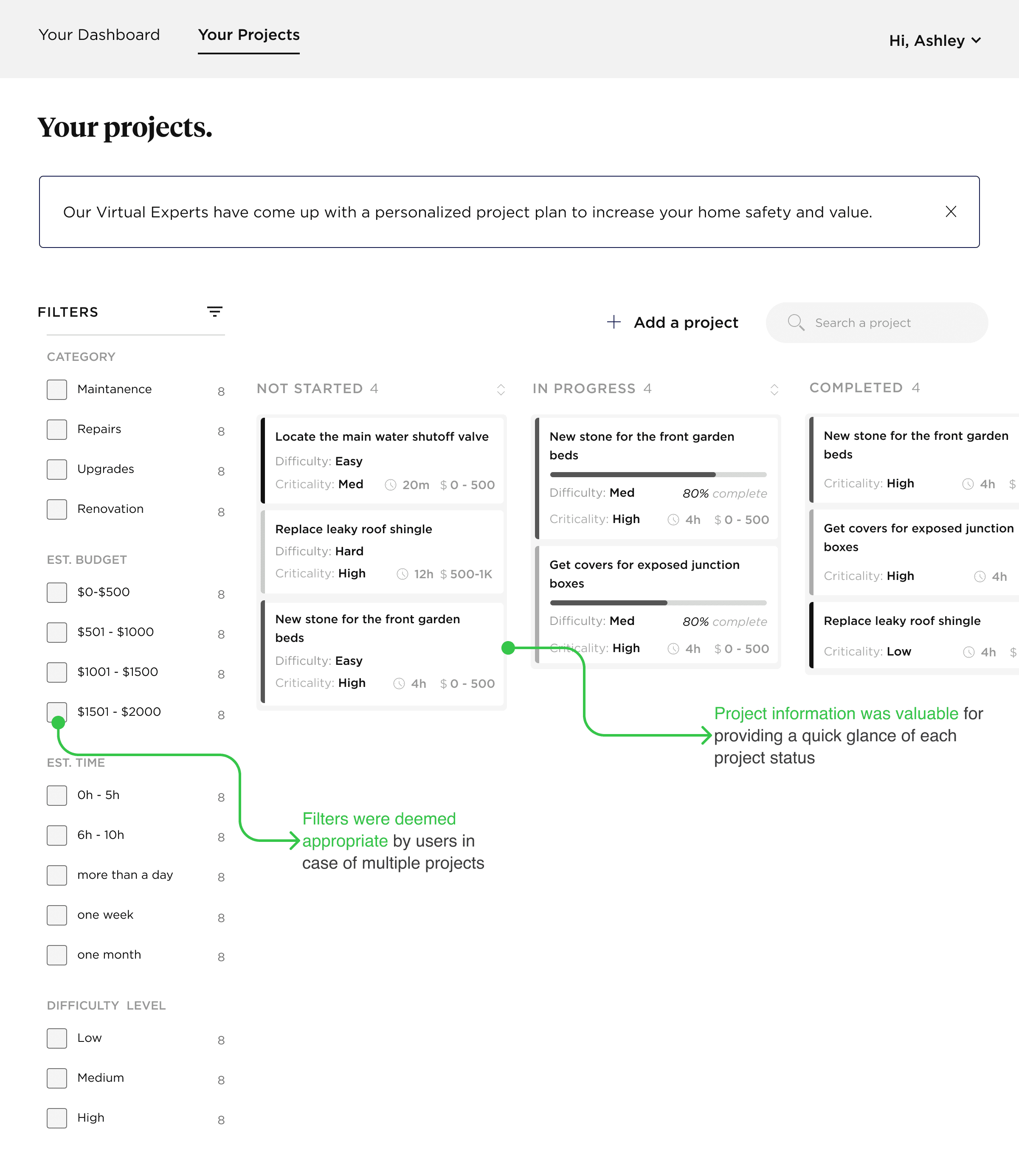
Project plan helps gives a quick glance of projects and their status
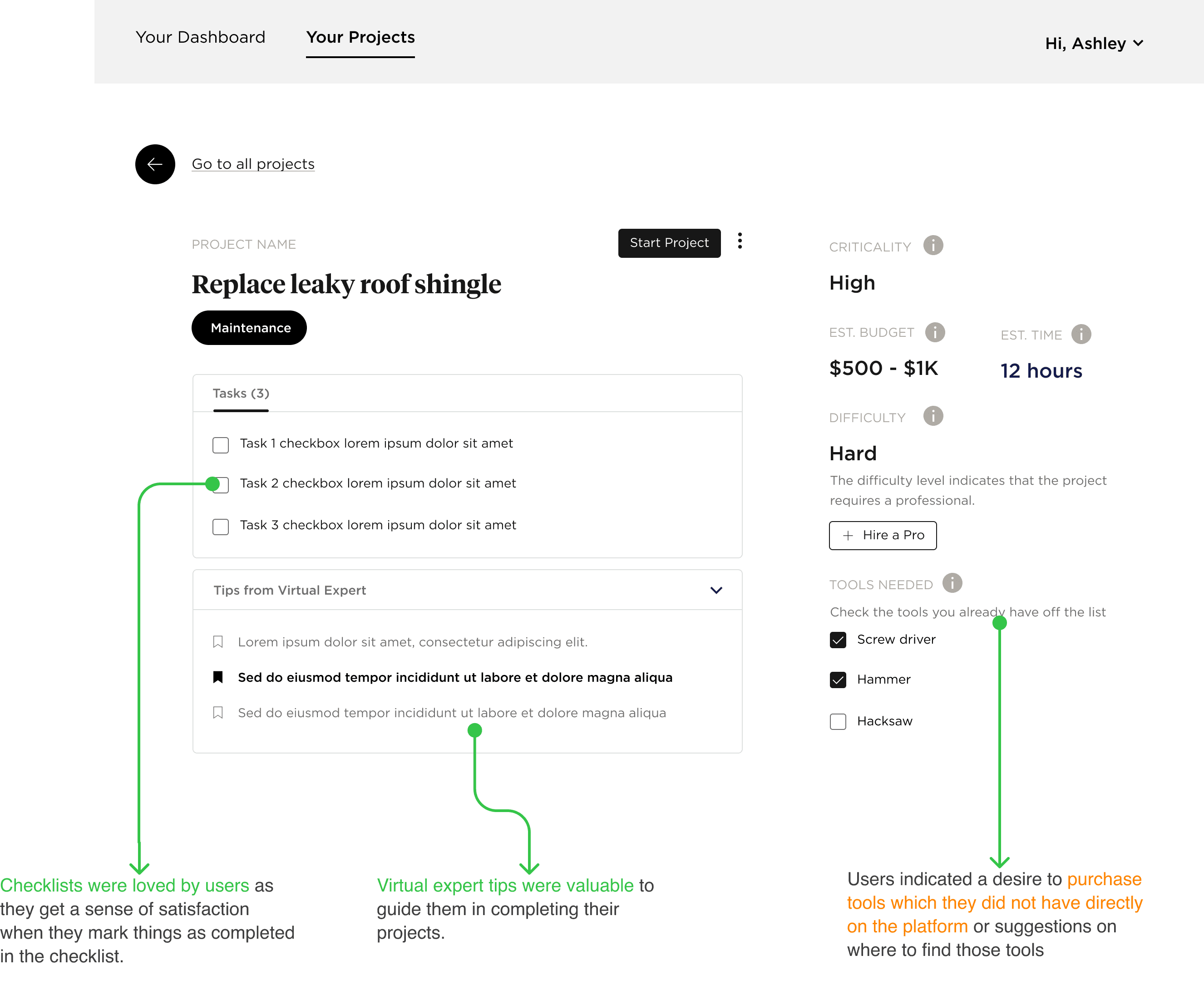
Project details page contains all relevant information about individual project
THE FINAL DESIGNS
After multiple iterations based on usability testing feedback I came up with final designs that aligned with user's mental models
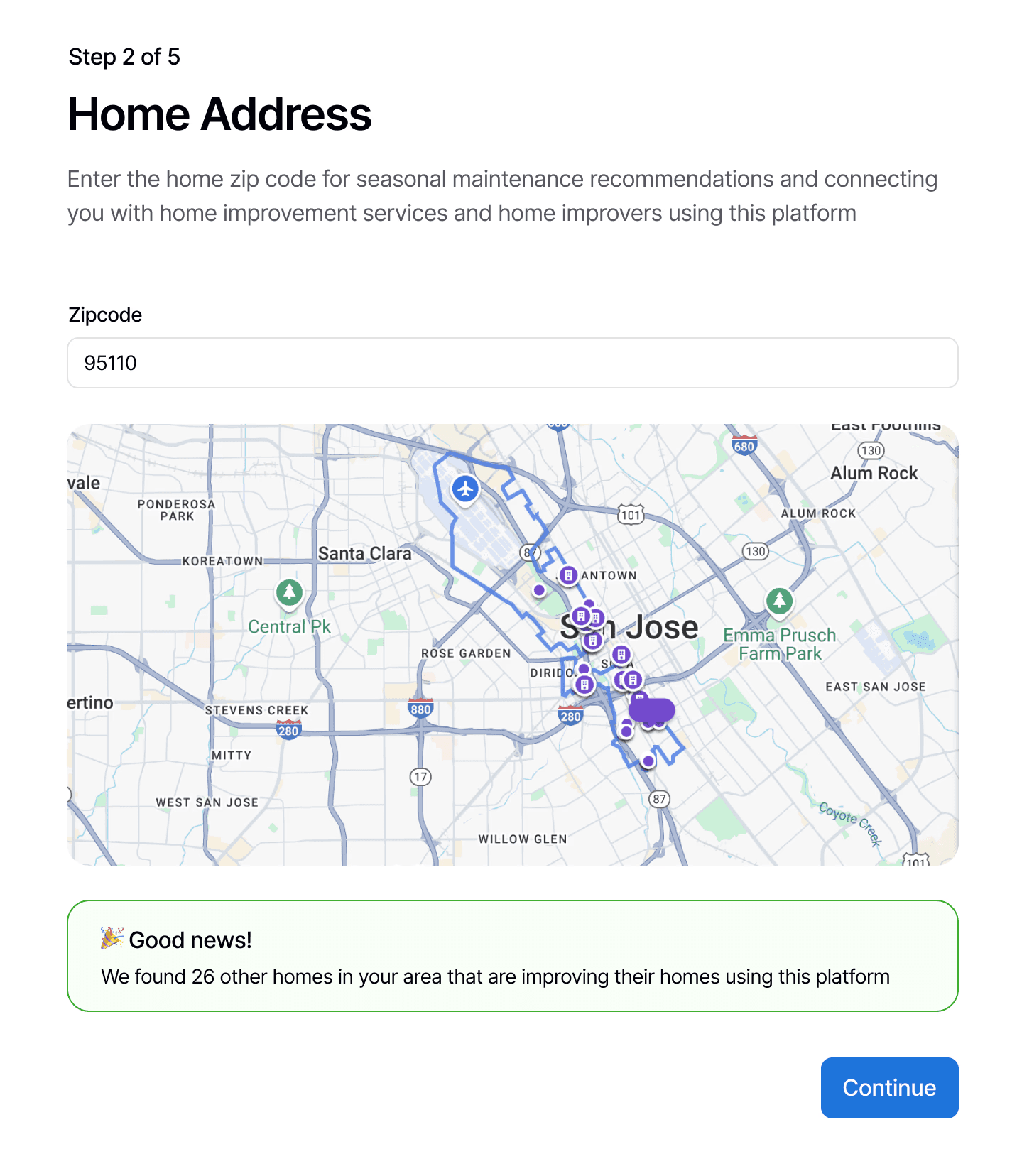
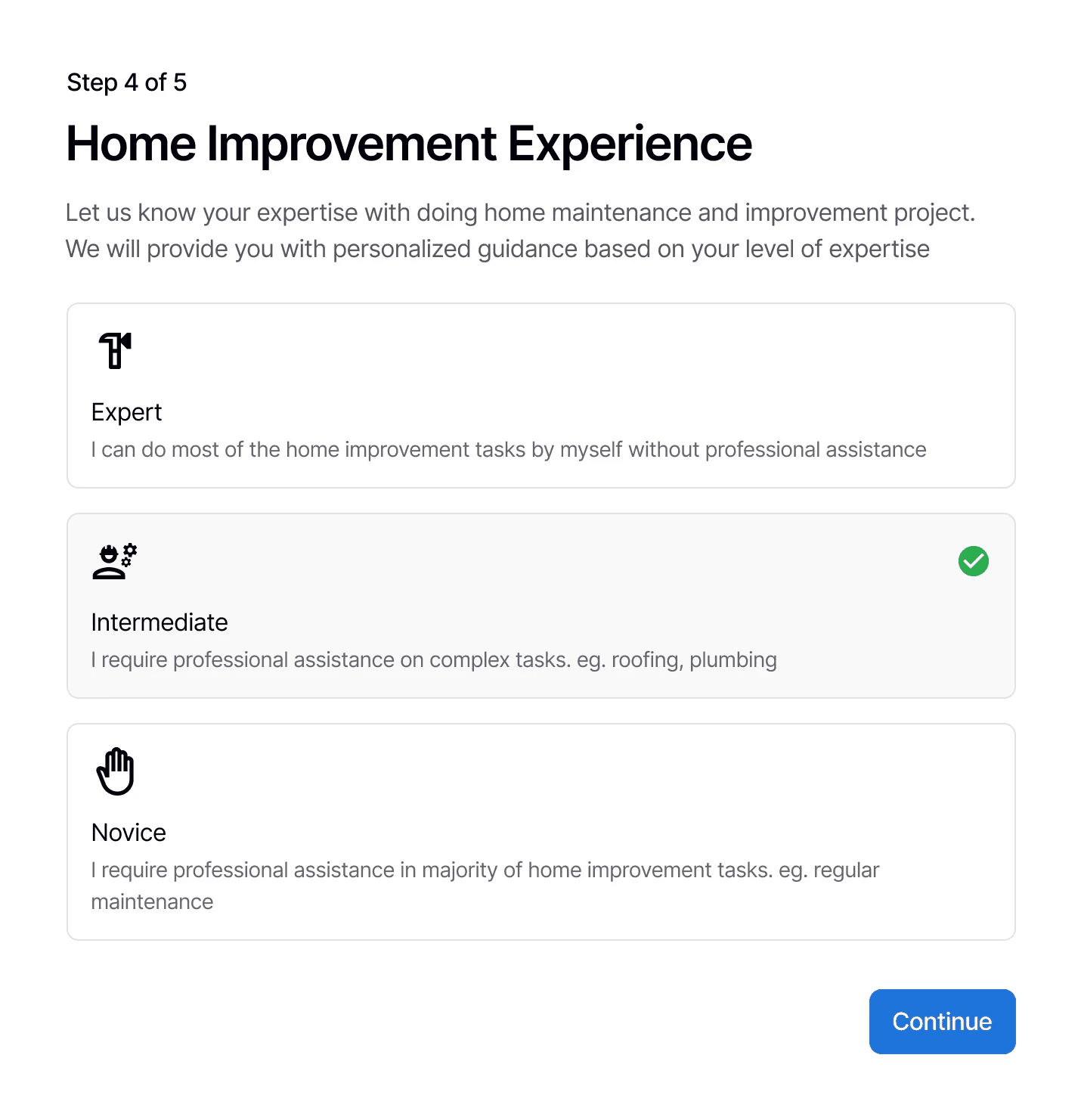
Easy onboarding flow to generate a personalized platform experience
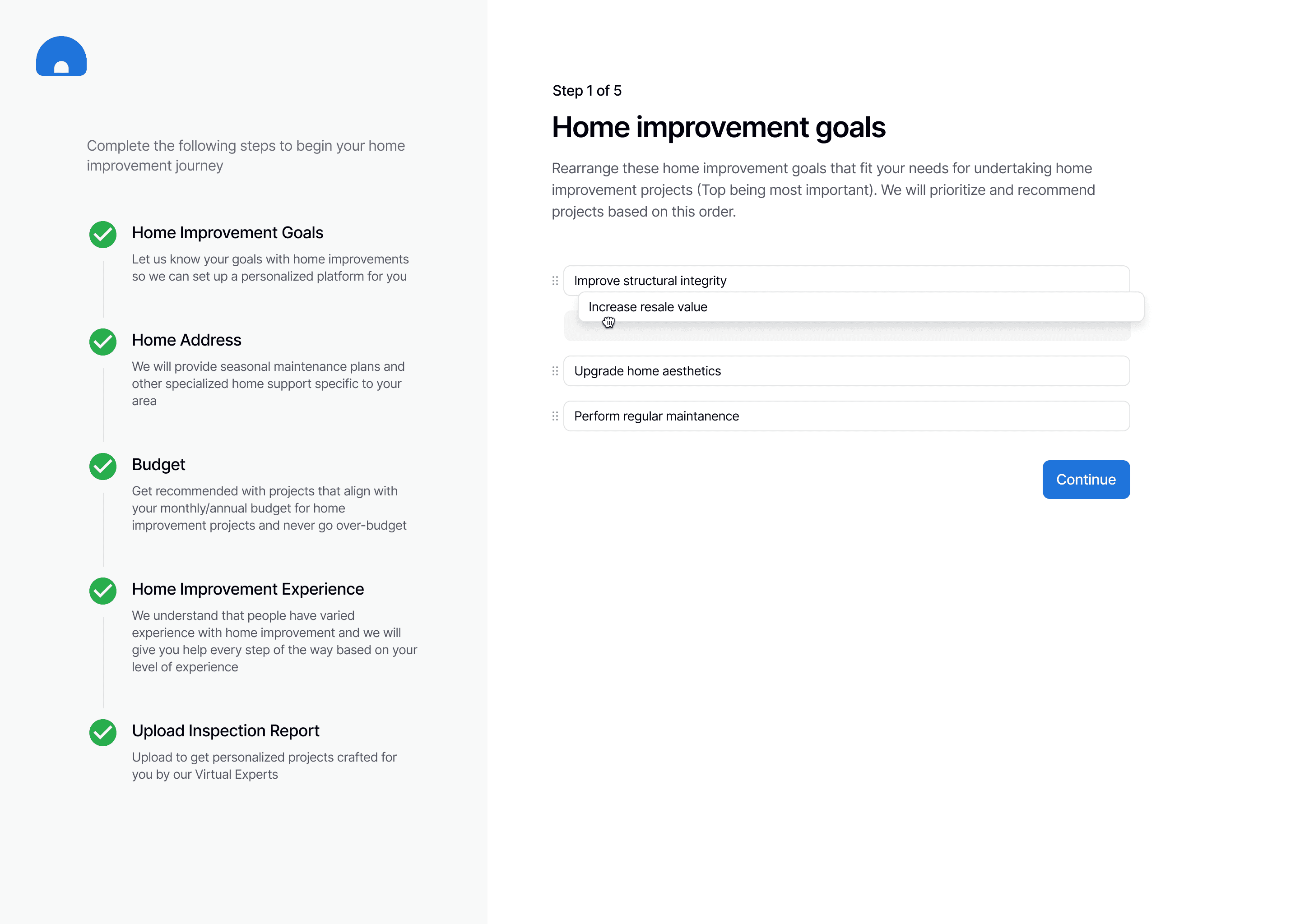
Arrange home improvement goals based on priority
Enter zip code to get seasonal recommendations and connect with home owners and improvement services
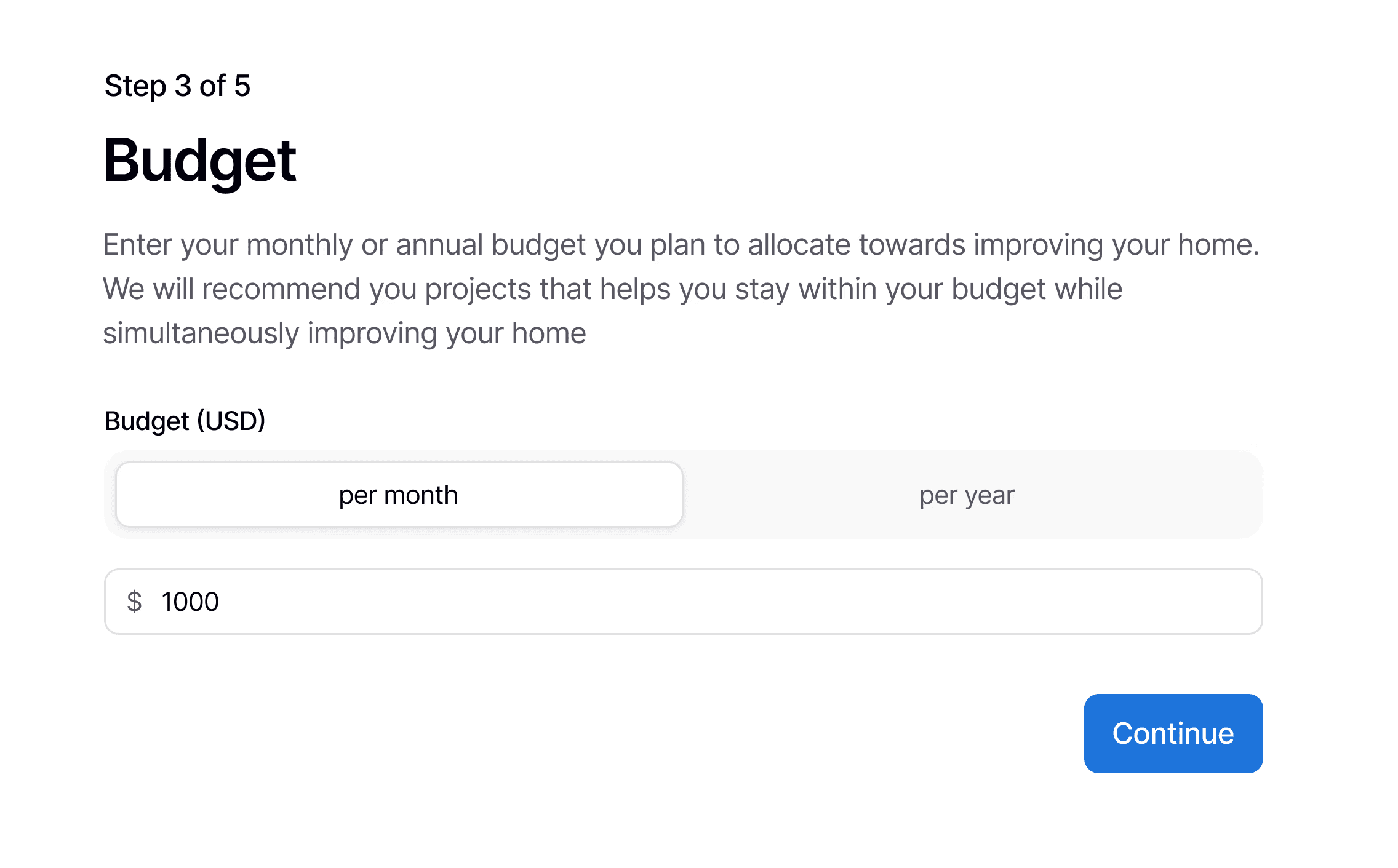
Yearly or monthly budget for personal project recommendations based on finances
Home improvement experience to get recommended professional home improvement services based on the difficulty level of a project
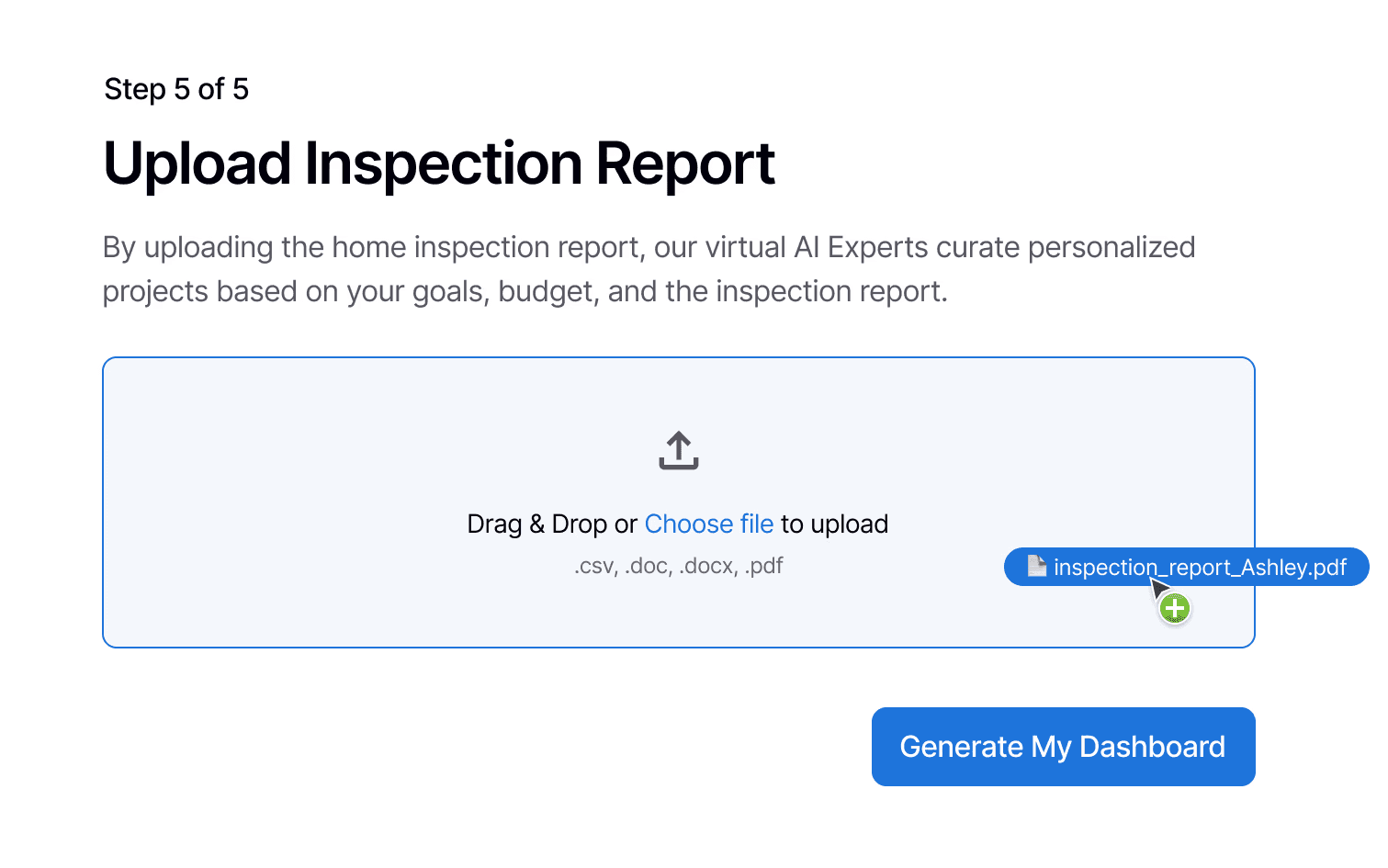
Uploading home inspection report gives a list of projects based on the report, goals, and budget selected in the previous steps
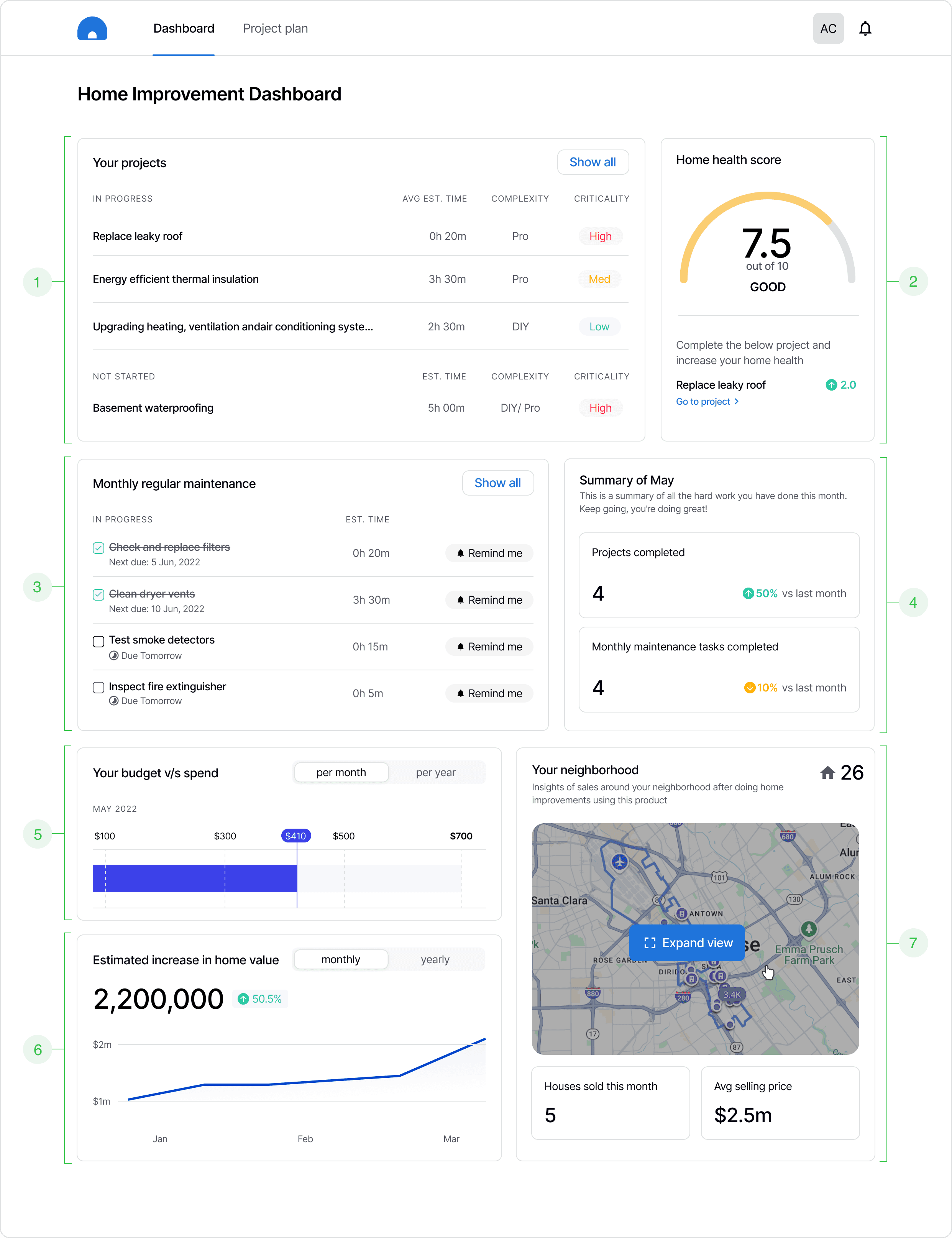
What makes this a success?
1
Based on usability testing, project list is the first thing user would see because it is of higher priority to the user.
2
Safety score was replaced with Home Health Score that aligned more with user’s mental models of how safe it is their house to live in.
3
Monthly maintenance task checklist and reminders for creating engagement beyond initial major home improvement projects.
4
Monthly summary to motivate home owners to do better than the last month and ensure repeated engagement.
5
Monthly/Annual budget v/s spend to keep track of esttimated expenses
6
Increase in home value to serve as a motivating factor to do home improvements.
7
Enabling a social feature to connect with nearby homeowners using the platform
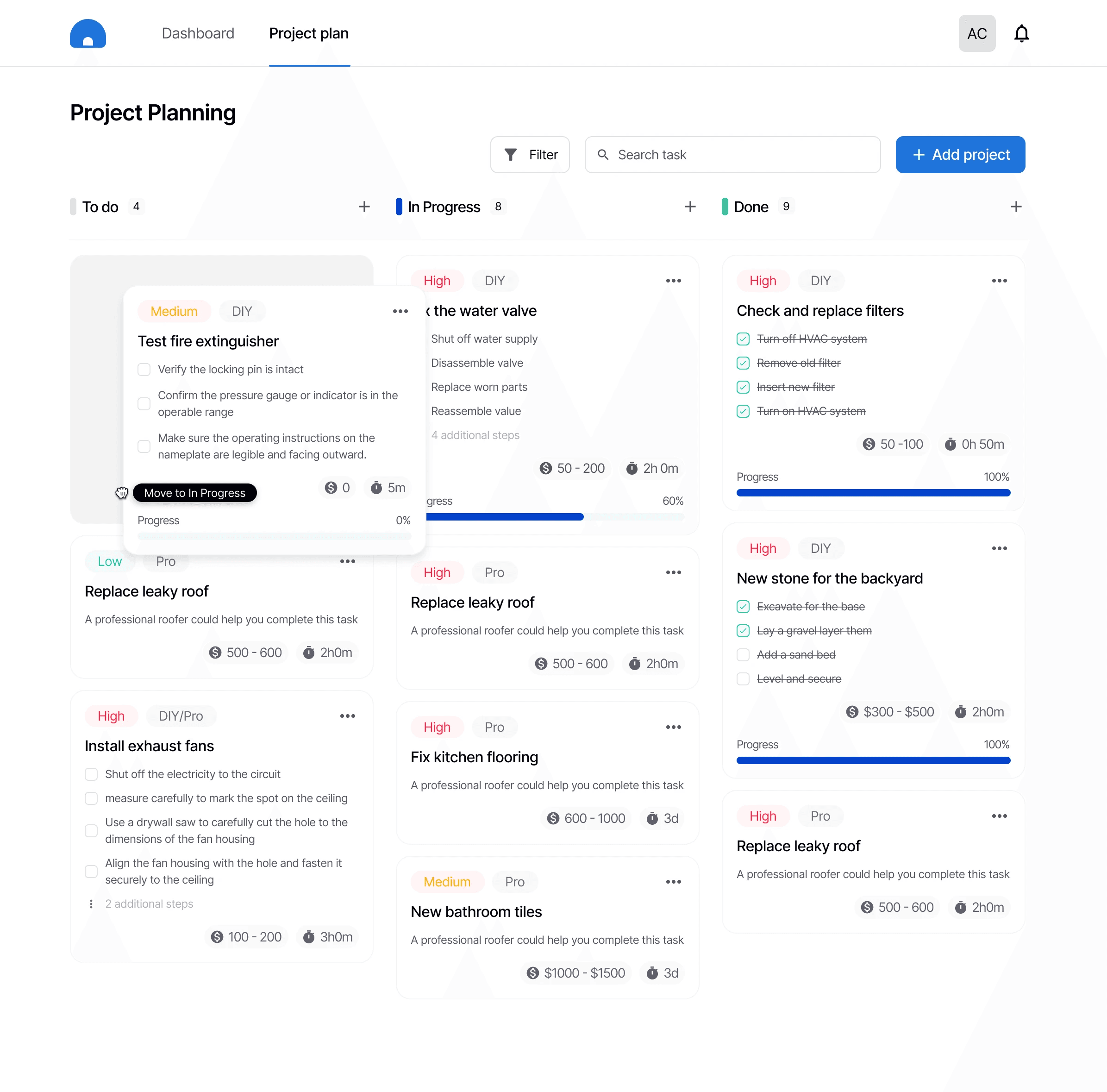
What makes this a success?
Categorization of projects (To-do, In Progress, Done) based on user research data.
Each project is broken down into individual tasks to motivate users to take small steps while checking those small steps of their list to give them a sense of productivity.
Project cards can be moved between the categories. However, once a project has been completed it can only be duplicated and cannot be moved to In Progress or To do.
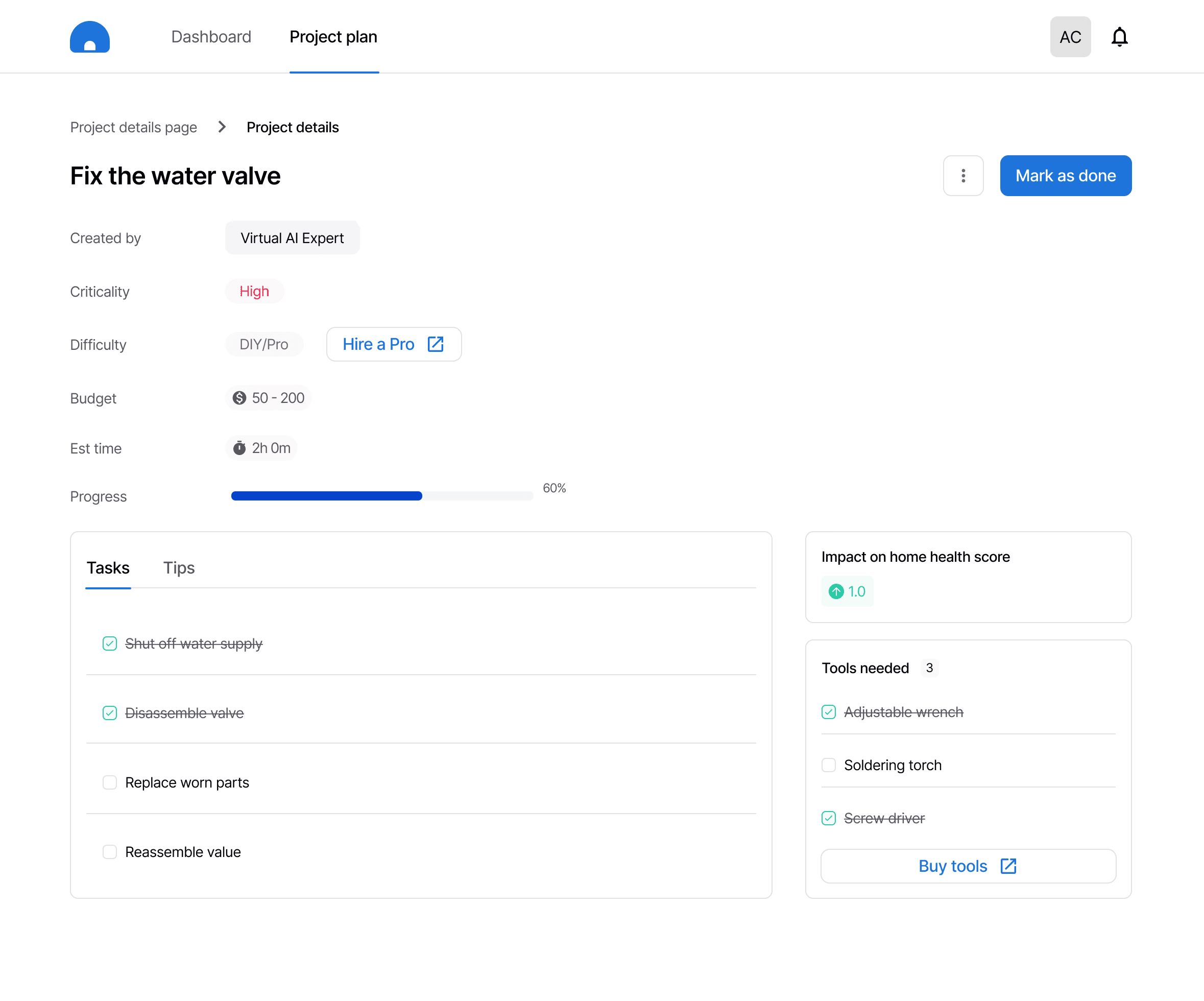
What makes this a success?
Hiring a professional directly through the platform's partners if the difficulty level surpasses DIY
Check tools available off the "Tools Needed" section and purchase tools directly from the partnered platforms
Edit, delete, add your own tasks based on unique needs
The final designs were tested again using the UserInterviews platform
Insights and feedback from usability testing
"The dashboard is very useful to get a quick overview for where my home improvement projects are at."
"A lot of times I struggle to decide whether I should call a professional repair service, however, the difficulty level makes that decision for me"
"I have kids at home and I want my home to be structurally safe at all times. Home Health Score and Recommended projects gives me actionable items to work on."
IMPACT
The research and design served as an MVP and set direction for future developments of the platform
Decrease in the number of home improvement claims and cost of claims to the business
Decrease in the number of home improvement claims and cost of claims to the business
Increase in website visits and conversion rate for the potential users would help in determining whether the platform is proving useful to the users.
RETROSPECTIVE AND LEARNINGS
Here are some key takeaways from the process that helped me grow as a designer
Work with ambiguity and let data guide the design
Coming into a project with no knowledge about home improvement was challenging yet a great learning opportunity. Innovation is always ambiguous and I learnt how to leverage research to guide my design solution.
Teamwork is dreamwork
Constant communication with my research and business team members helped me solve problem and create a solution that strengthens the purpose of the product.
Don't be attached to your ideas
When conducting usability testing, it was hard for me to hear a few negative feedback for the designs I created. However, I realized that it was necessary to come up with a better solution which made me open to feedback and helped me create a better experience.